准备工作#
安装RStudio和R包blogdown。
创建博客#
在R终端中输入如下代码即可创建默认主题的博客。
blogdown::new_site()另外也可以在RStudio中通过图形界面创建。
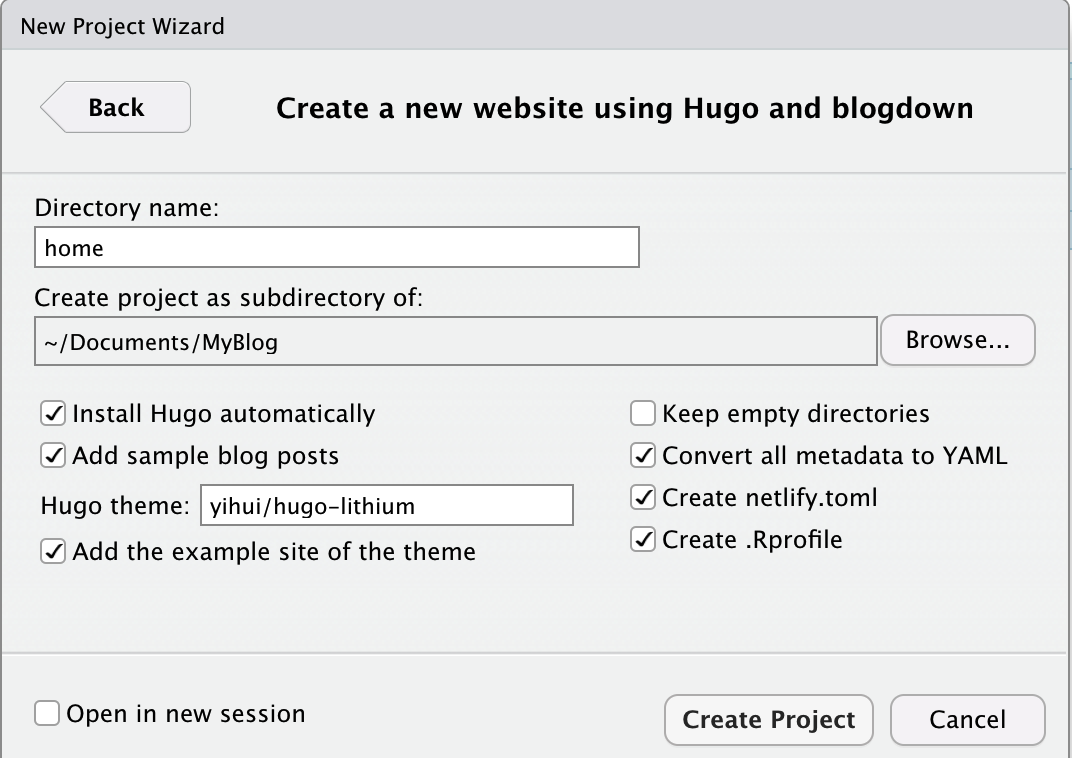
鼠标点击File -> New Project… -> New Directory -> Website using blogdown
在弹出的对话框的Directory name内输入本地存放项目的目录名。Create project as subdirectory of: 为项目的父目录。之后点击Create Project 按钮。Hugo theme为博客的主题。这里我们用默认主题。其他主题参考HUGO主题页面。
- 在R终端中输入
blogdown::server_site()即可在本地部署博客。
在Gitee上部署博客#
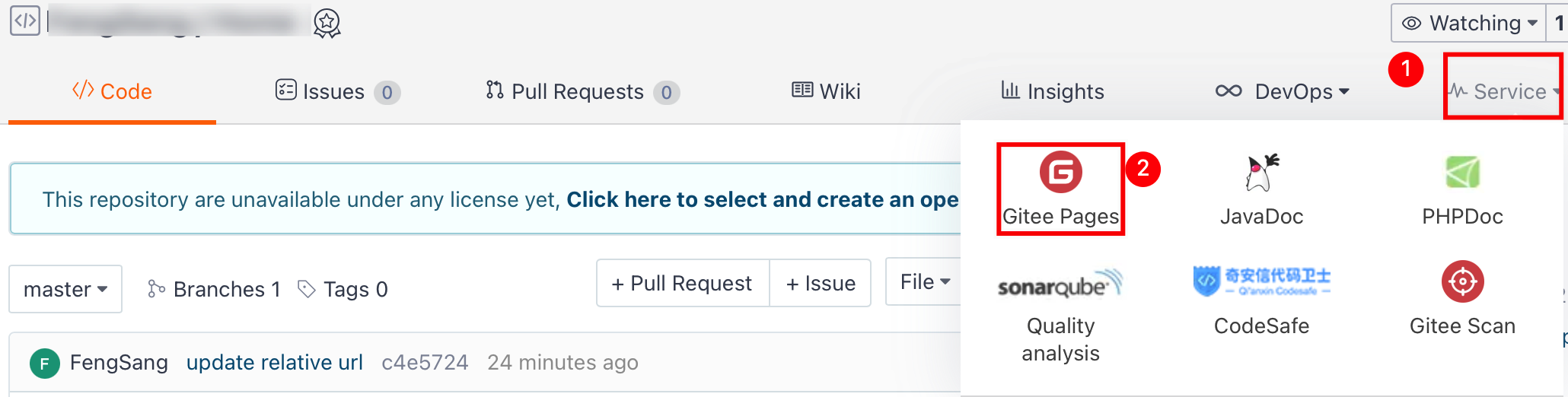
- 首先需要在gitee上创建仓库,并将Depoly directory更改为 “.”(不带引号) 。
在R终端中输入
blogdown::hugo_build(relativeURLs=TRUE)并运行。可以看到在home目录下生成了public。该目录下即为生成的博客静态页面。此时点击public/index.html是可以在浏览器查看的。将public中的文件同步到刚创建的gitee或github仓库中。使用的命令如下:
cd public
git init
git add .
git commit -m 'first commit'
git remote add origin xxxx.git
git push -f origin master
之后就可以通过访问username.gitee.io/home访问自己的博客了。
至此,我们使用blogdown创建了自己的博客,并使用hugo生成了静态页面。最后通过gitee或github发布生成的静态页面。